
How to Keep Ink Cartridges from Drying Out?
Please let me know how to keep ink cartridges from drying out. I have no idea about this. If anyone knows then help me.
 1 Ans
1 Ans- 4 years ago
Keep Ink Cartridges from Drying Out:
Printer ink cartridges are quite expensive. Therefore, you must make sure that you use it to the last drop. Usually, a lot of ink in the cartridge gets wasted and people don't even notice it.
Hence, there are various reasons why the ink runs out faster than you expect from clogged nozzles. Below, we have mentioned some tips that can keep your ink from drying out.
Tip 1: Use Your Printer Once a Week
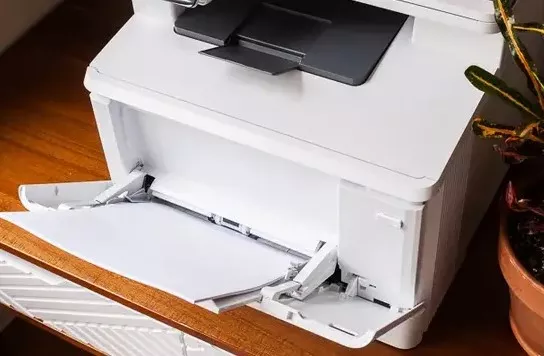
Clogged nozzles are one of the main reasons for ink wastage. In order to prevent this from happening, you must use your printer once a week. This will keep everything open and flowing.
Moreover, it will reduce ink build-up. Therefore, keep it a point to print something now and then. This will help you maintain your ink cartridge.
Tip 2: Store Your Ink Cartridges Properly
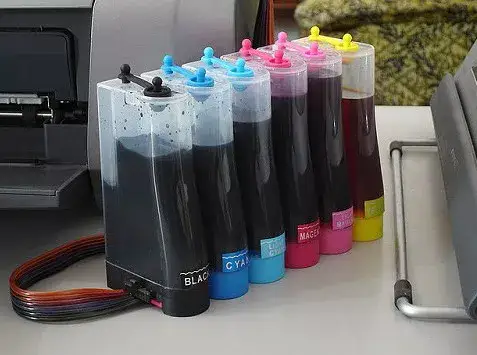
You must always keep some extra cartridges in store, particularly if you want to print them often. When you have low ink or you are out of ink, you must get a new tank and resume your printing work. Improper cartridge storage can lead to ink wastage.
You must always store your ink cartridge in an upright position. If you keep it in a different position, then it will move your ink towards one side. This can lead to serious print quality problems when you install a cartridge to your printer.
Tip 3: Configure the Room Temperature

You need to consider adjusting your room temperature while printing. It is important for you to maintain a normal room temperature inside the office so that the cartridges don't dry out.
A pleasant temperature of 68 degrees will help you out here. This will help you preserve ink cartridges and give a pleasant working environment to everyone in the room.
Tip 4: Keep Your Cartridges Sealed
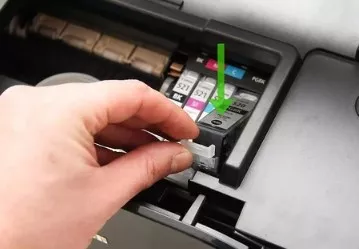
If you leave your cartridges open, then the ink will surely dry out. Ink in an open ink cartridge is more like water in a vase. If you have a cartridge that does not have a seal, then you need to take precautionary measures to fix this problem. Below are the steps that you need to follow to keep your cartridges sealed at all times.
Step 1: Keep the plastic nozzle side up inside the plastic tub. Use a clip or protective taping before you place it.
Step 2: Take a paper towel or damp cloth inside the tub close to your ink cartridge.
Step 3: Now, keep your cartridge somewhere cool and dark. Check the paper towel or damp cloth from time to time to ensure that it is damped.
Tip 5: Moisten the Cartridges
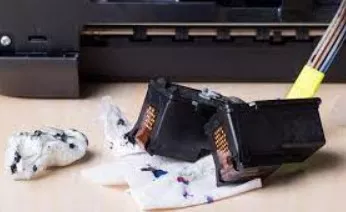
Another way to prevent the ink from drying out is to moisten the cartridges every now and then. The great thing about this is that you are not required to do your weekly test prints. This will help you save the ink.
Below are the steps that you are required to follow in order to moisten your cartridges so that they don't dry out.
Step 1: Take out the ink cartridges from your printer. Use disposable gloves in this process.
Step 2: Carefully clean the top surface of your cartridge using a paper towel or damp cloth. This will prevent clothing.
Step 3: Remove excess moisture using a lint-free cloth before placing them back on your printer.
So, these are the 5 tips that you need to follow to keep your ink cartridges from drying out.
- 2 years ago
 Related Articles

Top Searches in Hp Printer
Featured Articles
How to Get Canon Printer Online on MAC?
Sep 30, 2026
How to Fix Printer Printing Horizontal Black Lines?
Sep 30, 2026
How to Scan from HP Printer to Computer Windows 10?
Sep 30, 2026
Ricoh Printer Stuck on Processing
Sep 30, 2026
Brother Printer Only Printing in Black and White
Sep 30, 2026
How to Clean Kodak Printhead?
Sep 30, 2026
How to Install Lexmark Printer to Computer Without CD?
Sep 30, 2026
Why My Samsung Printer is Not Printing Clearly?
Sep 30, 2026
Top Questions
Why Won't My Canon Printer Print after Changing an Ink Cartridge?
Oct 7, 2020
How do I Fix a Canon Printer 1403 Error?
Dec 30, 2020
How do I Connect My Canon MG3050 Printer to WiFi?
Mar 30, 2021
How to Change Printer from Offline to Online Canon?
Nov 27, 2020
How to Turn My Ricoh Printer Online from Offline?
Feb 20, 2021
Brother MFC Printer Won't Print Black Despite Full Ink Cartridges
Nov 7, 2020
How to Fix Epson Printer Filter Failed or Stopped on Mac Error?
Dec 7, 2021
How do You Get a Lexmark Printer Back Online?
Sep 29, 2020